App Installation Guide
Install the LinkedConnector app into a sub-account.
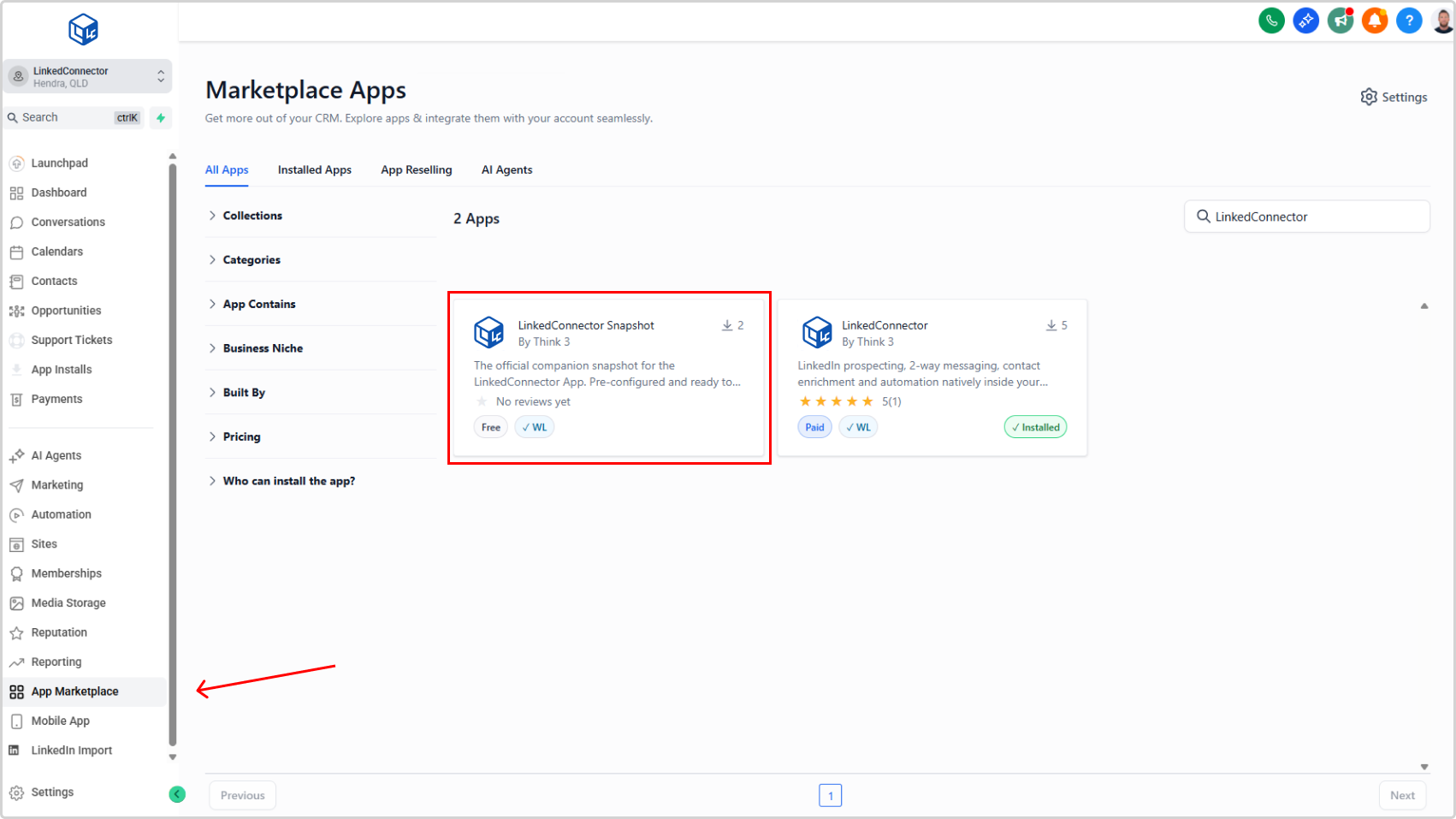
Getting LinkedConnector up and running is straightforward. You'll firstly install the app , then install the snapshot from the App Marketplace which comes packed with pre-built workflows and settings ready to use right away.
- In your CRM, click App Marketplace (menu item)
- Search for "LinkedConnector"
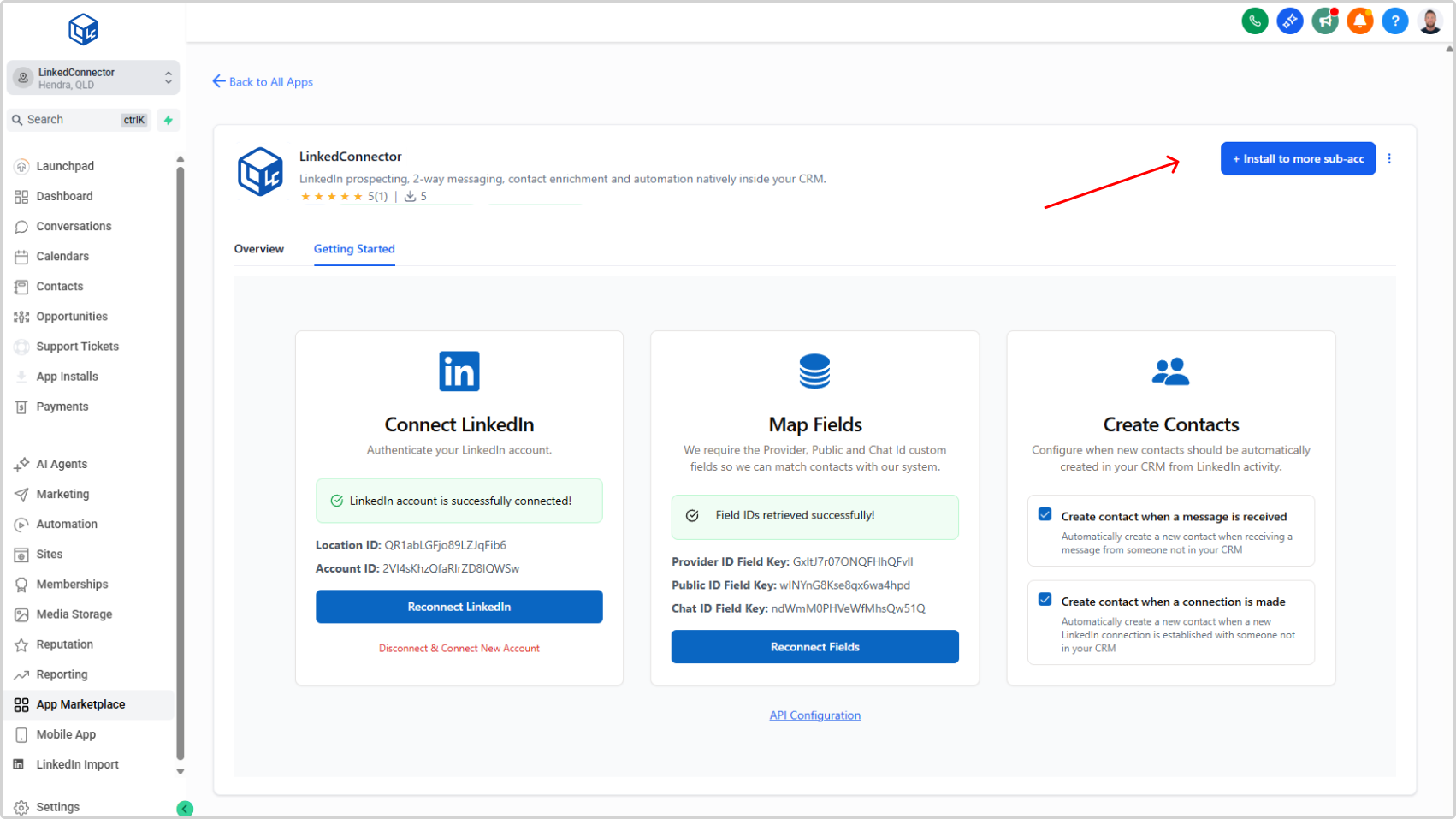
- Select the app from the search results
- Click Install and follow the on-screen prompts
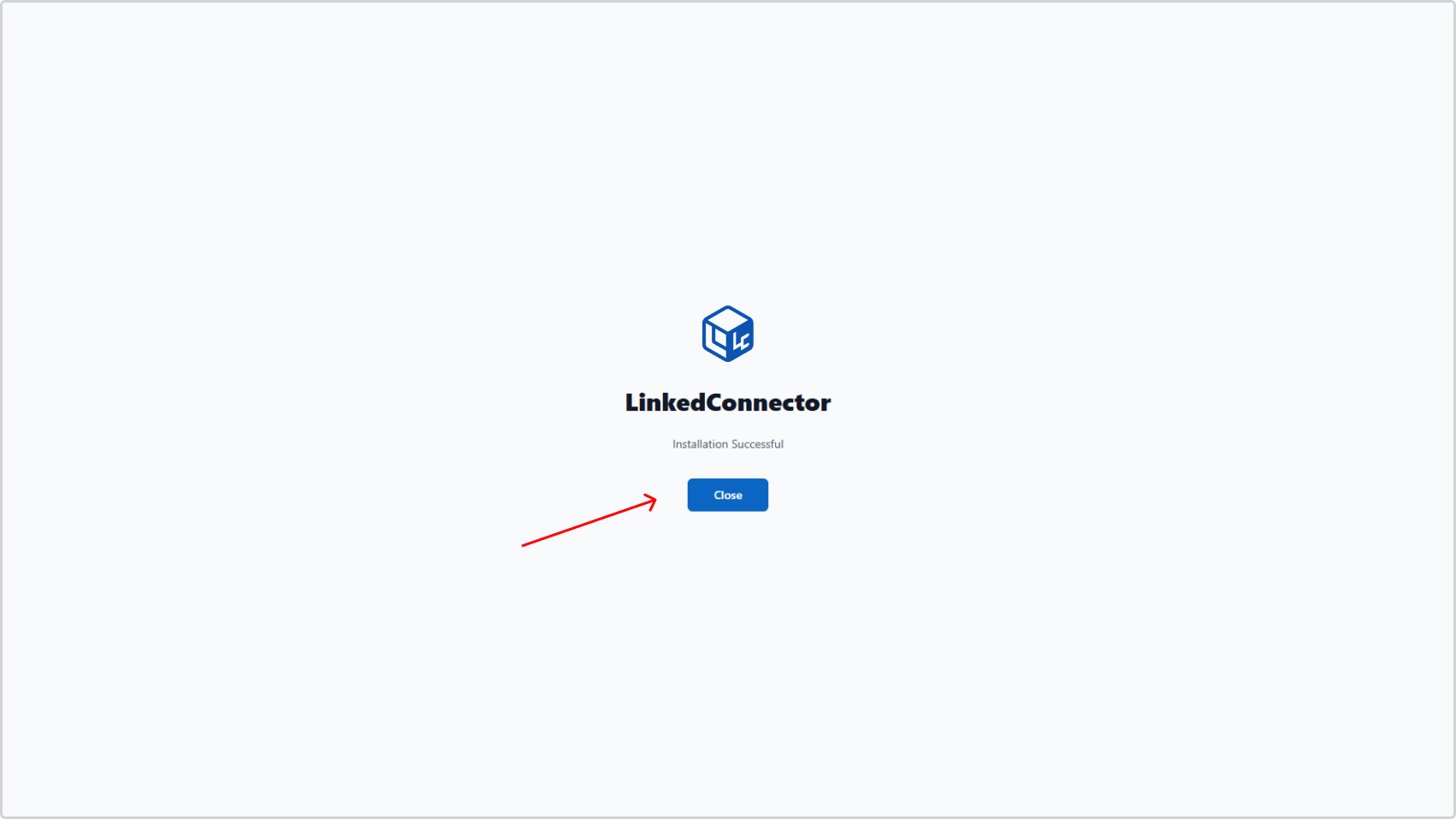
You'll see a confirmation when the app is installed.