Send Personalised AI Videos on LinkedIn With HeyGen
A new workflow action lets you generate AI videos using HeyGen and send them directly to LinkedIn contacts. Write a script, choose an avatar and voice, and the video is generated and delivered — automatically, at scale.
What's New
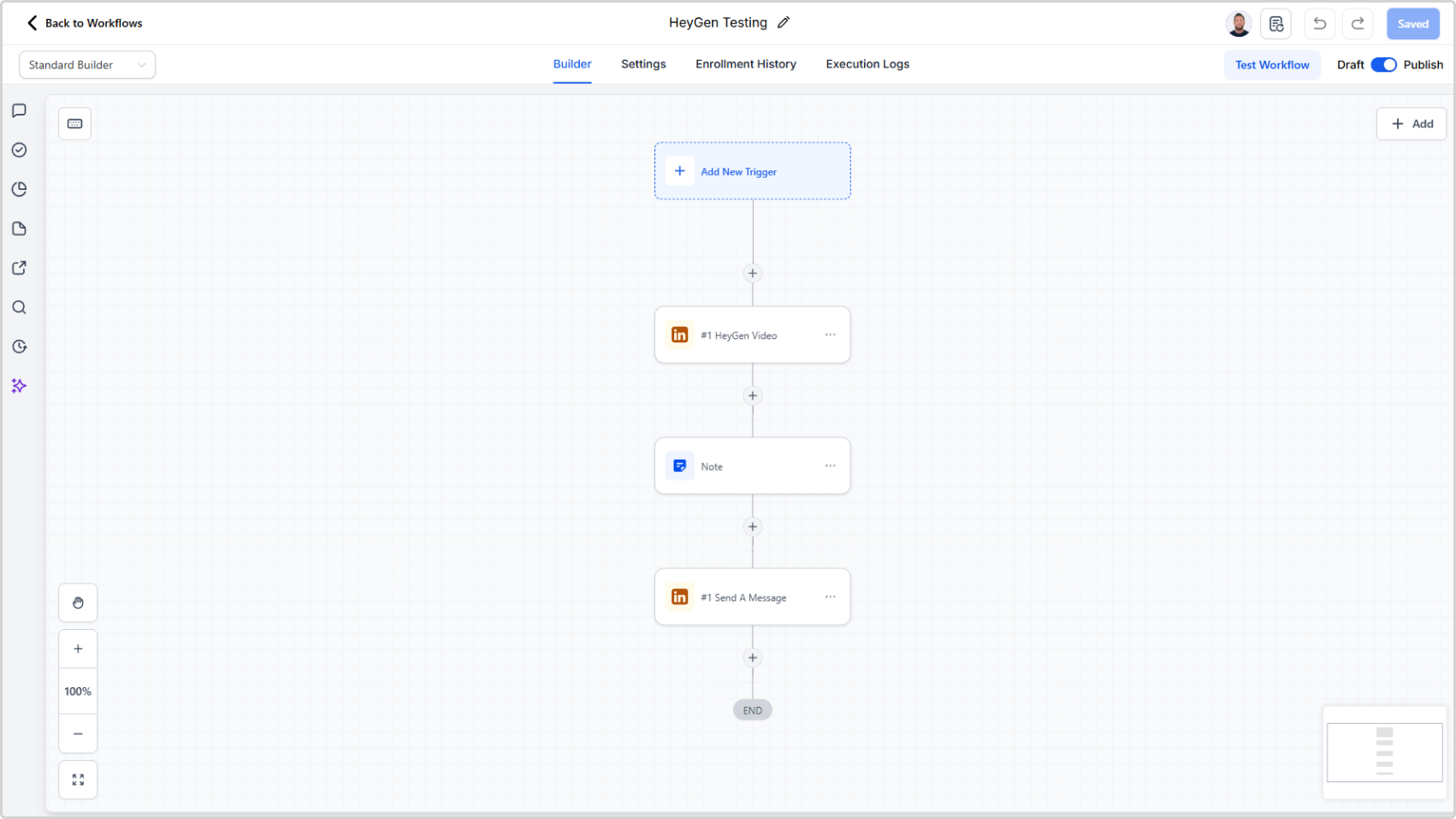
- New HeyGen Generate Video workflow action that generates a video from a script, avatar, voice ID, aspect ratio, and title
- Videos are generated via your HeyGen account and returned as a direct video URL
- Pass the video URL variable straight into the Send A Message action to deliver it as a LinkedIn video message
- Personalise scripts with dynamic variables so each video feels tailored to the recipient
- API key configuration is handled in App Marketplace > LinkedConnector > API Configuration
Why It Matters
Video messages on LinkedIn stand out. They're harder to ignore and easier to connect with than plain text. Until now, sending a video required recording, uploading, and manually attaching a file to each message.
With this action, the entire process runs inside your workflows. A personalised AI video — using your chosen avatar and voice — is generated from a script and sent without any manual steps. It brings the kind of outreach that used to take hours per contact down to a single workflow action.