Custom Menu Links Are Now Created Automatically
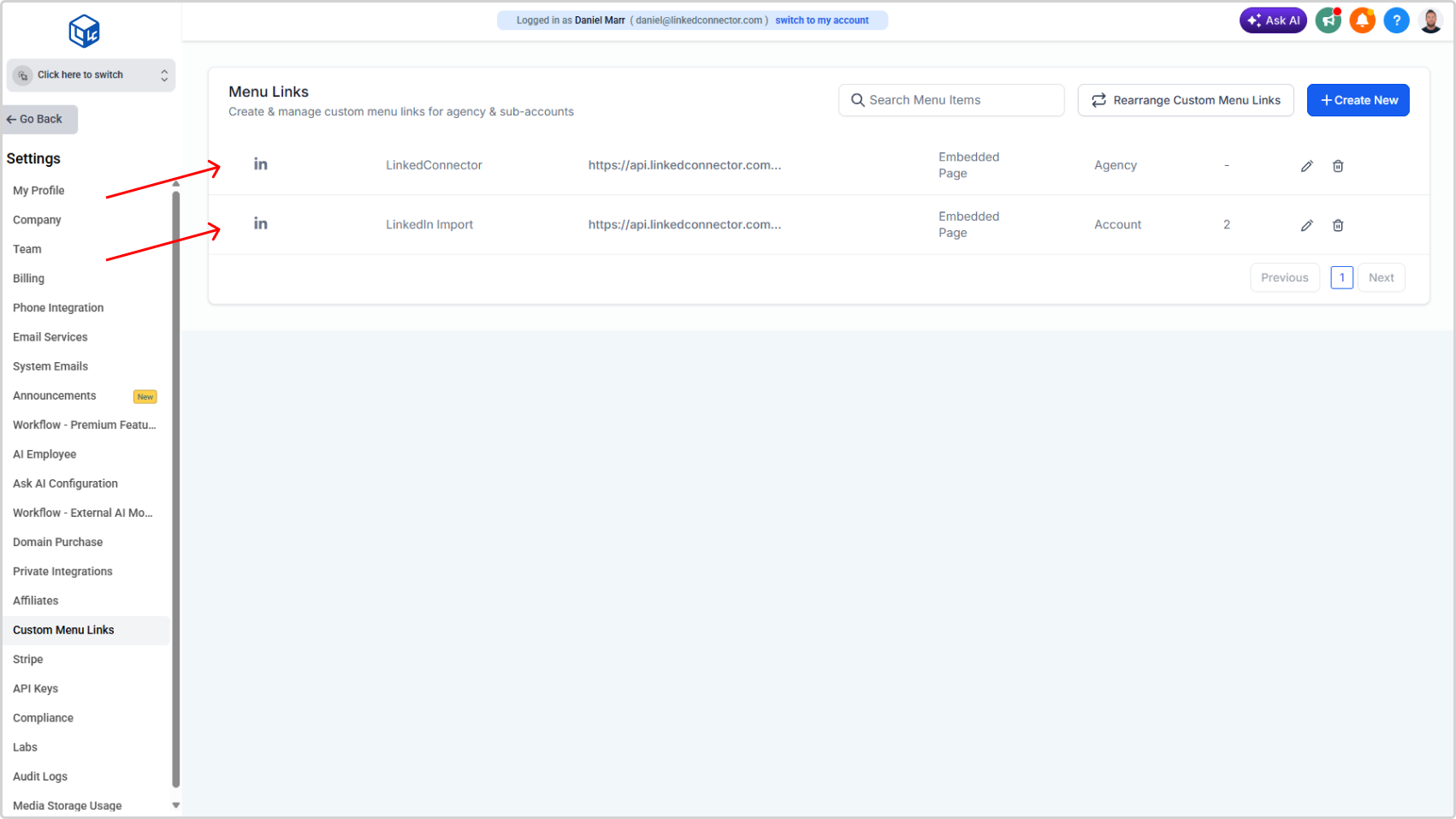
New agency installations no longer require manual setup of custom menu links. The LinkedIn dashboard link and the LinkedIn import tool are now created automatically the moment you install LinkedConnector.
What's New
- Both custom menu links — the agency dashboard link and the LinkedIn import tool — are automatically created for new agency installations
- No manual link creation required for either tool
- To display the import tool in a sub-account, administrators simply navigate to the existing link and assign the sub-accounts where it should appear
- The app must be connected at any sub-account before the import tool becomes active there
Why It Matters
Previously, setting up custom menu links was a manual process — find the settings, create each link, enter the correct URL, configure the sidebar and role visibility, and save. Two separate links, every installation.
That step is gone. The links are ready when the installation is complete. For the import tool, all that's left is selecting which sub-accounts should have access. It's one less configuration step during onboarding and one fewer place where something can go wrong.
⚠️
Note: Prior to 04/03/26 Custom menu links will need to be manually configured as per the below article.