Custom Field Mapping Is Now a Searchable List
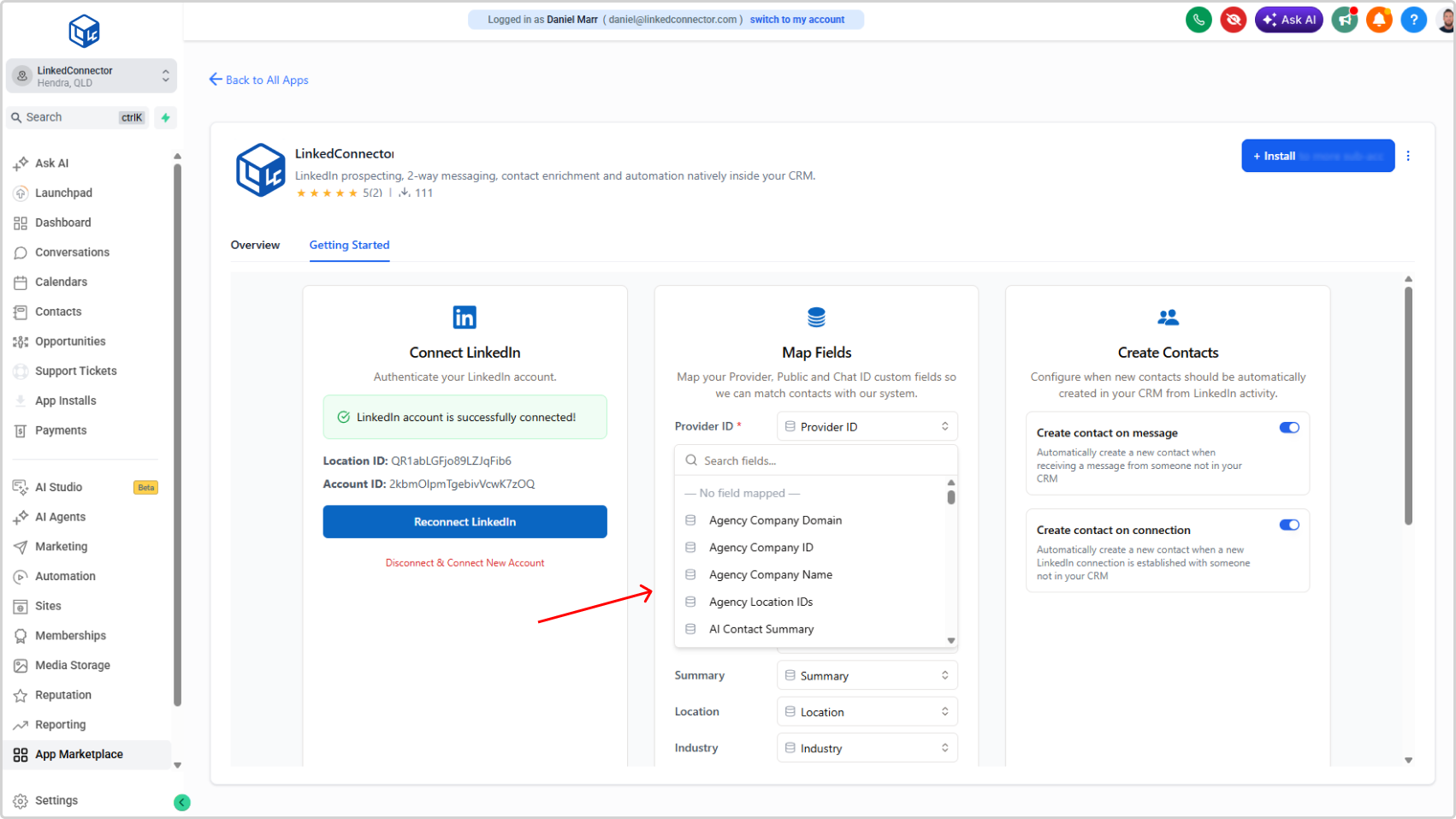
Mapping your CRM fields to LinkedIn data is now significantly faster and simpler. Instead of manually copying field keys and pasting them into open text fields, you can now retrieve your sub-account's custom fields directly and select them from a searchable list.
What's New
- Custom fields are now retrieved directly from your sub-account — no manual copying required
- A searchable dropdown replaces open text input, so you can find the right field by name in seconds
- All available CRM custom fields appear in the list, making it easy to confirm you're selecting the correct one
Why It Matters
The old approach required switching between your sub-account settings and the mapping page, copying field keys, and pasting them in without any visual confirmation. One wrong character and the mapping would fail silently.
The new flow keeps everything in one place. Search for the field name, select it from the list, and move on. It reduces setup time, eliminates copy-paste errors, and means field mappings work correctly the first time — so LinkedIn data publishes to the right CRM fields from day one.