Workflow Action - ElevenLabs Voice Generation
Generate realistic voice messages in workflows and send them through LinkedIn chat—perfect for personalized follow-ups and warm introductions.
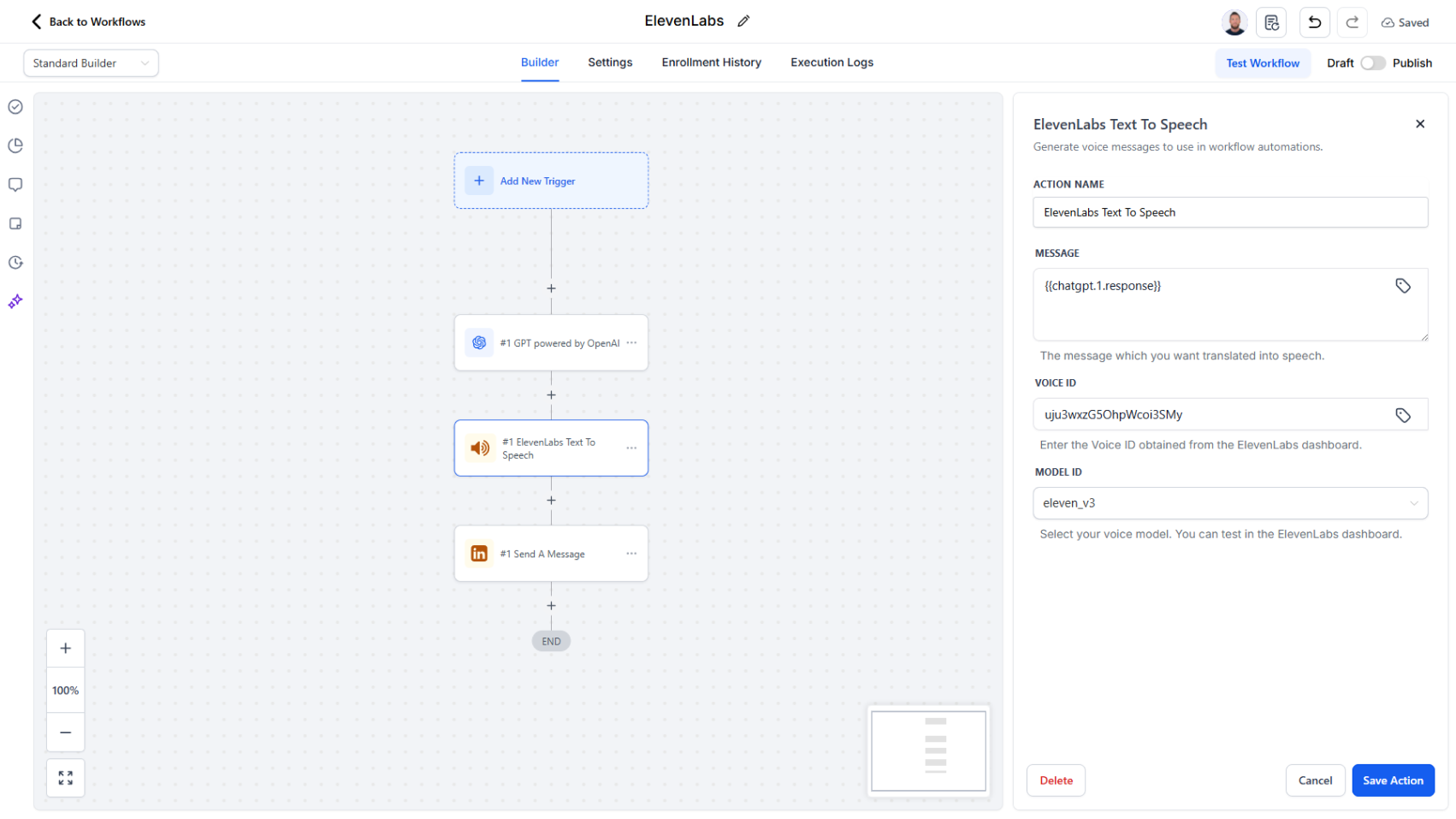
Convert text into natural-sounding voice messages inside your workflows.
What it does:
Add the "Generate Voice Message (ElevenLabs)" action to any workflow. Write your message or have AI generate one, select a voice (choose from multiple languages and accents), and the action instantly produces a natural-sounding audio file. Attach the generated audio to a Send Message action to deliver it through LinkedIn chat.
- Works with any text message (personalized introductions, follow-ups, etc.)
- Multiple voice options, languages, and accents available
- Audio generates instantly within the workflow
- Seamless integration with Send Message action
Why it matters:
Voice messages feel more authentic and personal than text, leading to better engagement and response rates—all at automation speed. Combines the efficiency of workflows with the warmth of human communication.
How to use it:
Add "Generate Voice Message (ElevenLabs)" to your workflow → Provide your text (or use AI to generate it) → Select your voice → Attach the audio URL to a "Send Message" action.