Upgraded Search User and Search Company Actions with Built-In Branching
We’ve upgraded search user and search company with built-in found/not found branches, so workflows no longer need separate if-else actions after these steps.
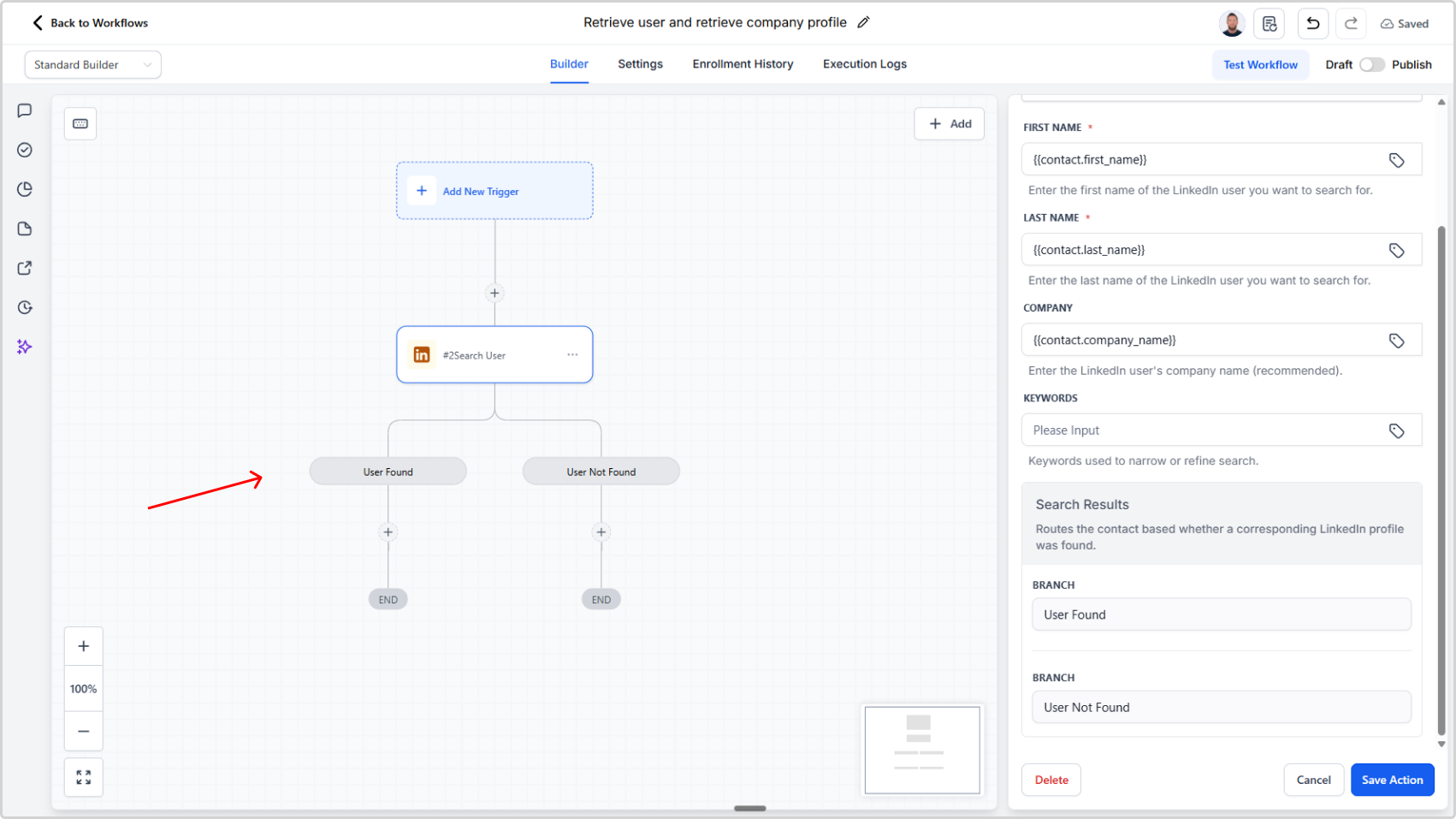
Overview
We’ve improved the search user and search company actions to simplify workflow building and reduce action count.
These actions now include built-in branching logic that automatically handles whether a result is found.
What Changed
New built-in branches
Both actions now route automatically to:
- User found / Company found branch when a match is found
- User not found / Company not found branch when no match is found
Backend result handling
The backend now determines the search outcome and routes the workflow to the correct branch automatically.
Why This Matters
- No extra if-else step needed after search user or search company
- Fewer actions per workflow
- Simpler workflow design
- Lower complexity for users building automations
Impact
If your current workflows use if-else actions immediately after search user or search company to check for found/not found outcomes, you can now replace that logic with the built-in branches and streamline your flow.