Rate Limit Status Feedback
Rate limit status indicator on Getting Started page shows when your account has reached LinkedIn's rate limits.
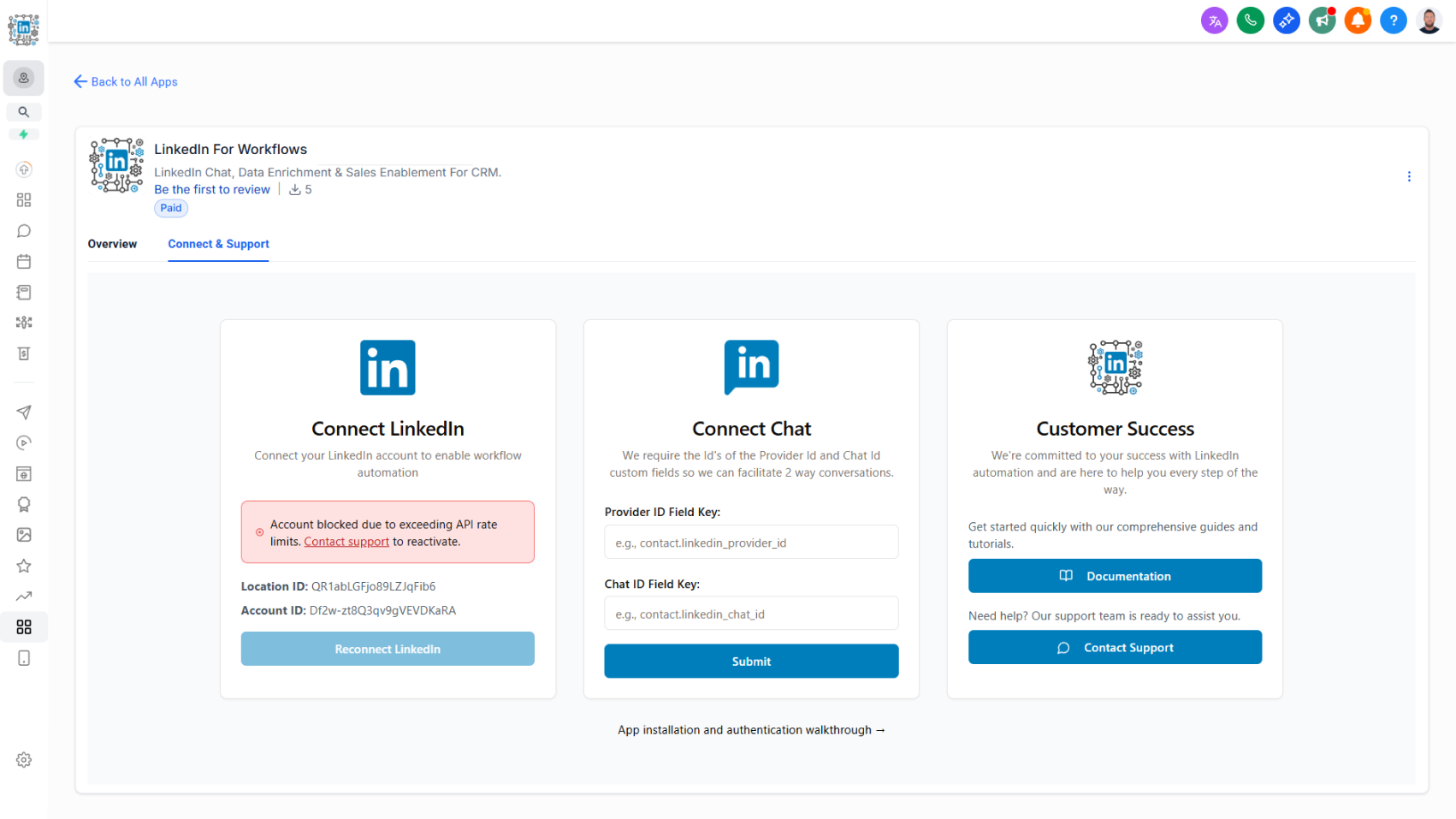
Know instantly when your account has hit rate limits.
What it does:
A visual indicator appears on your Getting Started page when your account reaches LinkedIn's rate limits. This gives you immediate visibility into whether your account is temporarily blocked due to exceeding activity thresholds.
- Visual indicator shows on Getting Started page
- Appears when rate limits are reached
- Lets you know your account is temporarily blocked
- No configuration needed — it's automatic
Why it matters:
When workflows slow down or stop unexpectedly, it's easy to wonder what went wrong. This indicator answers that question immediately: if you see the rate limit warning, you know to pause activity and let your account recover. Without it, you're left guessing whether there's a technical issue or an account block.
Understanding rate limits helps protect your account long-term and keeps the platform stable for everyone.