Changelog

Keep track of all new product updates, fixes, and improvements.

Workflow Action - Start a Chat

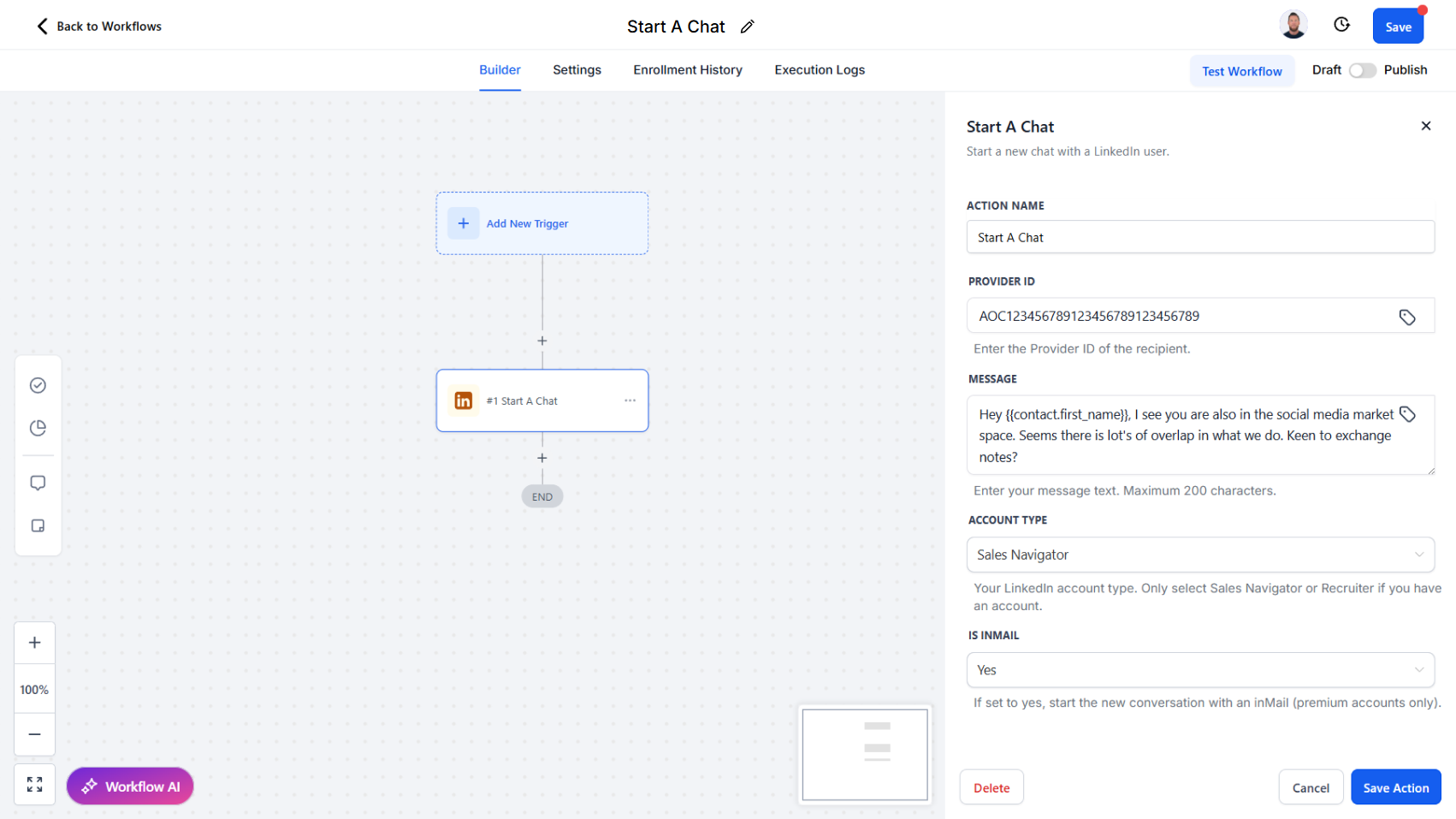
Initiate new LinkedIn conversations with InMail or direct messages, returning a chat ID for ongoing communication.

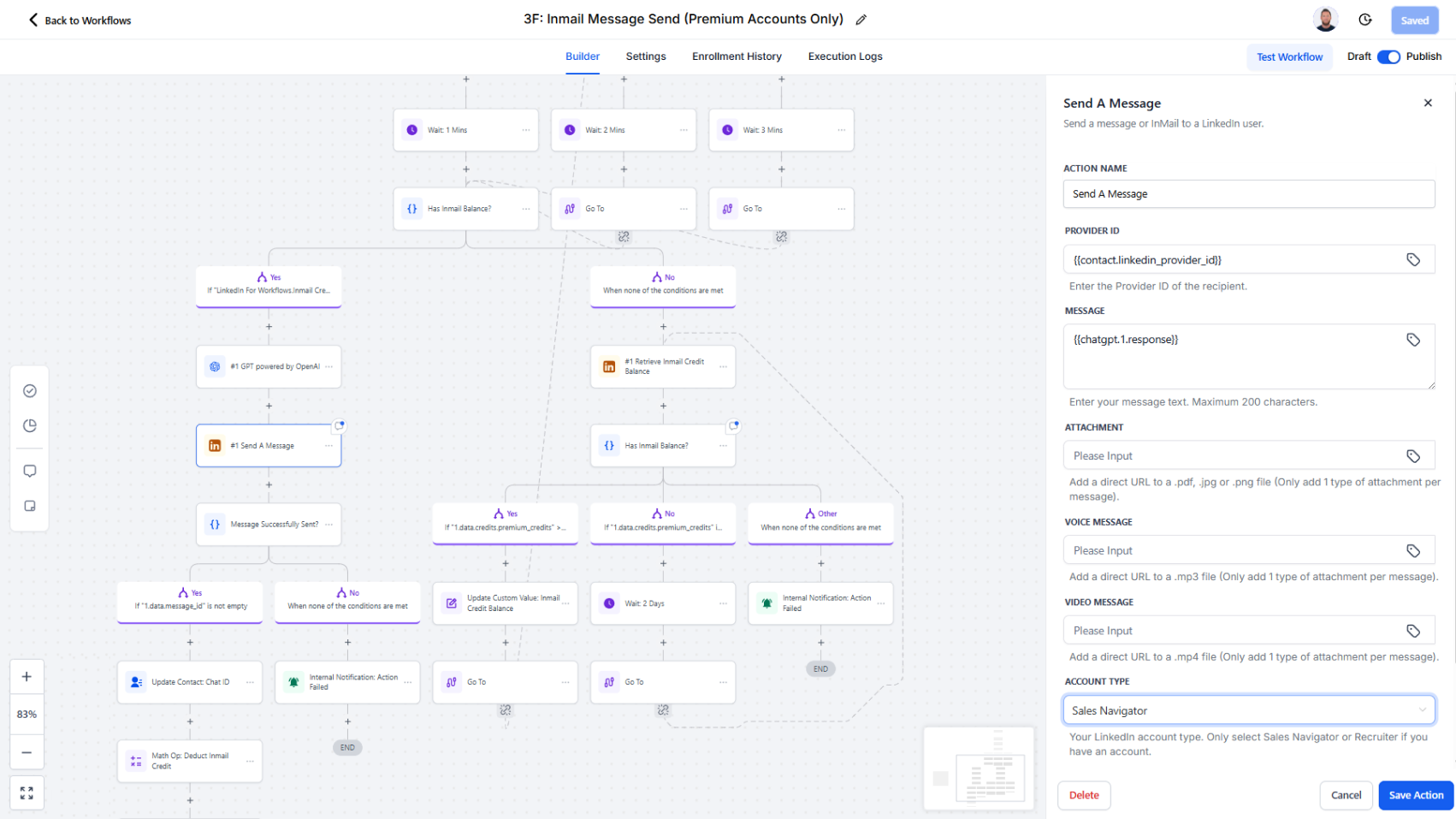
We’ve updated the Send a Message action to Start a Chat. This action is now the dedicated way to send the very first message to a LinkedIn user when no existing chat thread exists.

How it works today:

  • Provide a Provider ID of the recipient.
  • Enter your message content.
  • Select your account type and indicate whether the message is an InMail.
  • The action initiates a new conversation and returns a Chat ID, which can then be stored and used for sending subsequent messages within the same thread.

Why this matters:

  • Establish clear workflows for starting new conversations versus continuing existing ones
  • Ensure accurate tracking by always receiving a chat ID for ongoing engagement
  • Enable streamlined use of InMail for outreach when no prior chat history exists
  • Provide a cleaner separation between conversation initiation and follow-up messaging actions

Workflow Action - React to a Post

Engage with LinkedIn content at scale by automating reactions from your personal or company account.

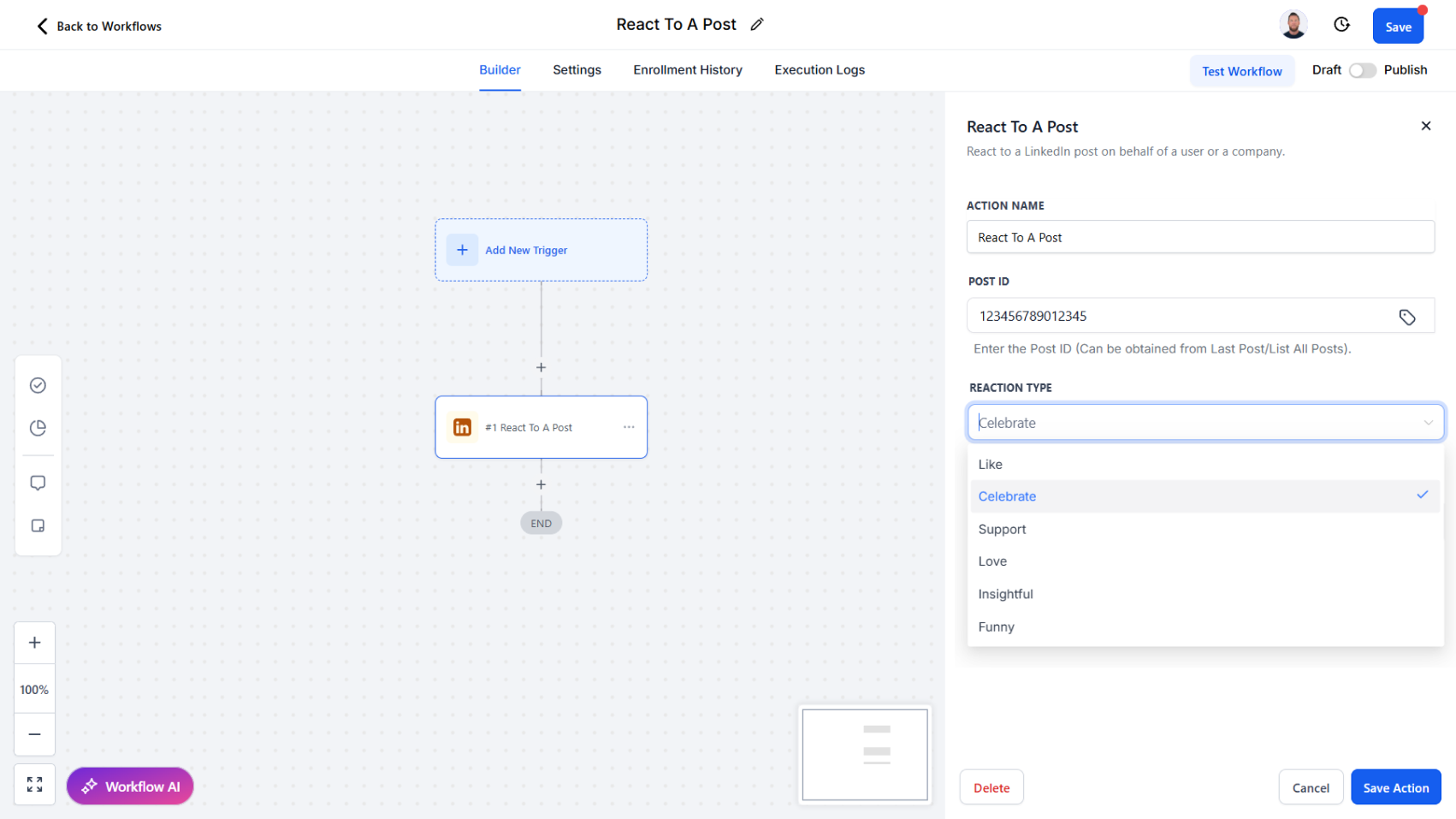
We’ve introduced a new workflow action, React to a Post, which allows you to add reactions to LinkedIn content directly through your workflows. This action complements Retrieve Last Post and Comment on a Post, giving you multiple ways to automate authentic engagement.

How it works today:

  • Provide a Post ID or use the ID retrieved from the Retrieve Last Post action.
  • Select from available reactions: Like, Celebrate, Support, Love, Insightful, or Funny.
  • React using your personal LinkedIn account or, with the right permissions, on behalf of a company page.

Why this matters:

  • Boost visibility by engaging with prospects’ or companies’ content consistently
  • Showcase company presence by reacting as your business page
  • Strengthen relationships with quick, meaningful engagement signals
  • Automate post engagement as part of wider outreach and nurturing workflows

Workflow Action - Comment on a Post

Automate LinkedIn engagement by commenting on posts as yourself or on behalf of a company.

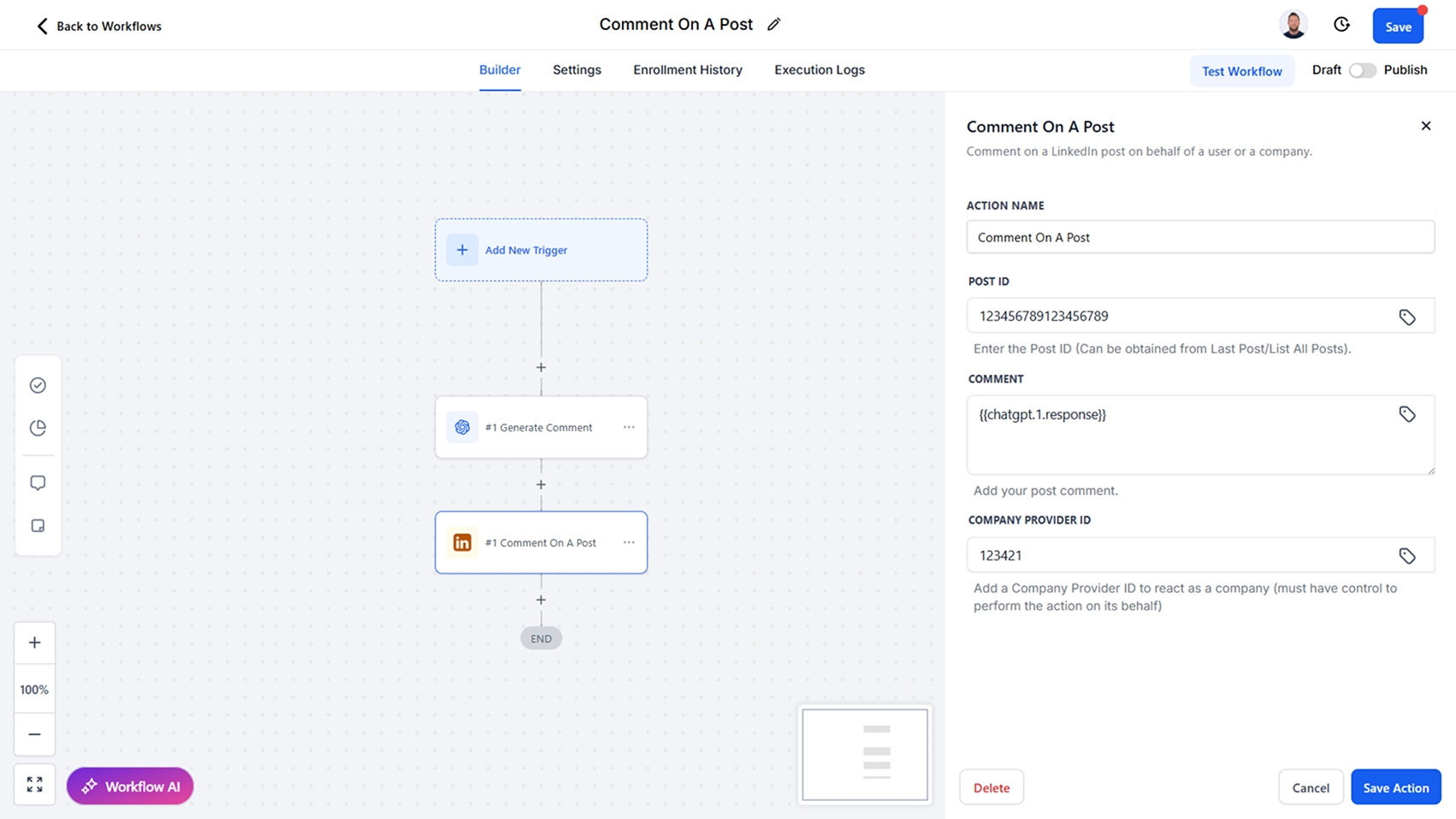
We’ve added a new workflow action, Comment on a Post, enabling you to leave comments on LinkedIn content directly through your workflows. This action works seamlessly with Retrieve Last Post, making it easy to comment on the latest activity from a user or company.

How it works today:

  • Provide a Post ID or use the ID retrieved from the Retrieve Last Post action.
  • Post a comment as your personal LinkedIn account.
  • If you have the required permissions, you can also comment on behalf of a company page.

Why this matters:

  • Drive engagement by commenting on prospects’ or companies’ latest posts
  • Support company-wide thought leadership by engaging through your business page
  • Automate timely interactions without leaving your CRM
  • Create scalable engagement strategies that feel personalized and relevant

Workflow Action - Retrieve Last Post

Access the latest LinkedIn post from a user or company with detailed engagement metrics for smarter interactions.

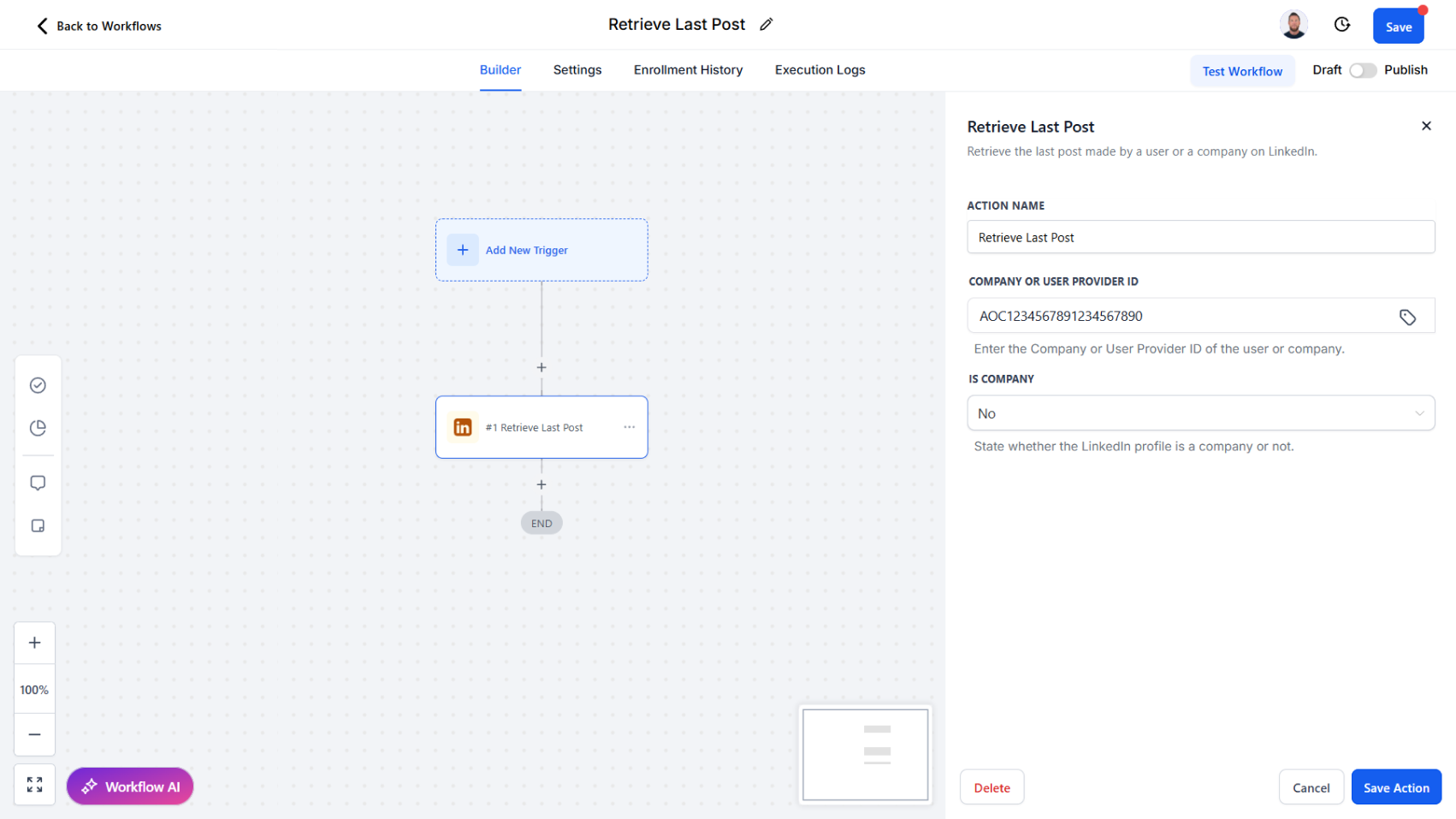
We’ve introduced a new workflow action, Retrieve Last Post, which allows you to automatically pull the most recent post from a LinkedIn user or company. This action is designed to provide both the post itself and rich engagement data, enabling more contextual and timely responses.

How it works today:

The Retrieve Last Post action retrieves the latest published post along with key details, including:

  • Post ID and share URL
  • Date and hours since posting
  • Post text and whether it is a repost
  • Comment count, impressions, and reaction count
  • Whether commenting, reacting, or sharing is allowed
  • Author information

Why this matters:

  • Engage more meaningfully by commenting or reacting to the most recent post
  • Use post insights (impressions, comments, reactions) to guide when and how you engage
  • Personalize outreach with context from a contact’s or company’s latest activity
  • Automate timely engagement strategies directly in your workflows

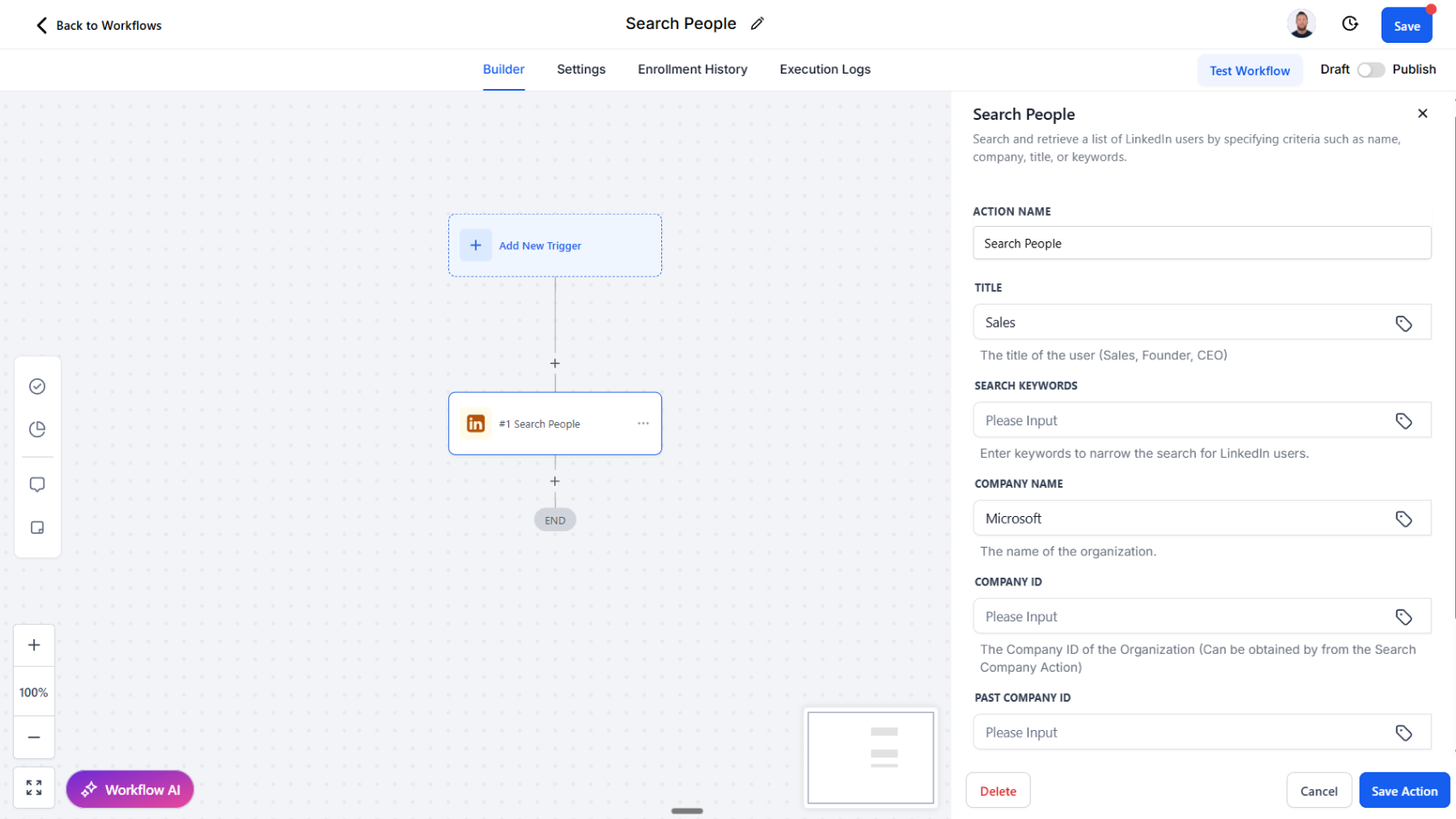
Improved: Workflow Action - Search People

Refine your LinkedIn people searches with new filters for title, keywords, and company history.

We’ve expanded the Search People workflow action to give you more precision and control when finding LinkedIn users. This update makes it easier to narrow down your searches and target the right audience for your workflows.

How it works today:

The Search People action now includes additional filtering fields to refine search results:

  • Title: Search by role (e.g., CEO, Founder, Sales).
  • Keywords: Search by industry, sector, or other keywords.
  • Company Name: Search by current company.
  • Company ID / Past Company ID: Search for individuals associated with a company, including past employees (e.g., former Salesforce employees).

Why this matters:

  • Gain sharper targeting when prospecting or segmenting contacts
  • Identify prospects based on roles, industries, or company history
  • Build more relevant and qualified lead lists
  • Automate enriched searches directly within workflows without manual effort

Workflow Trigger - New Connection

Automatically launch workflows the moment a new LinkedIn connection is made.

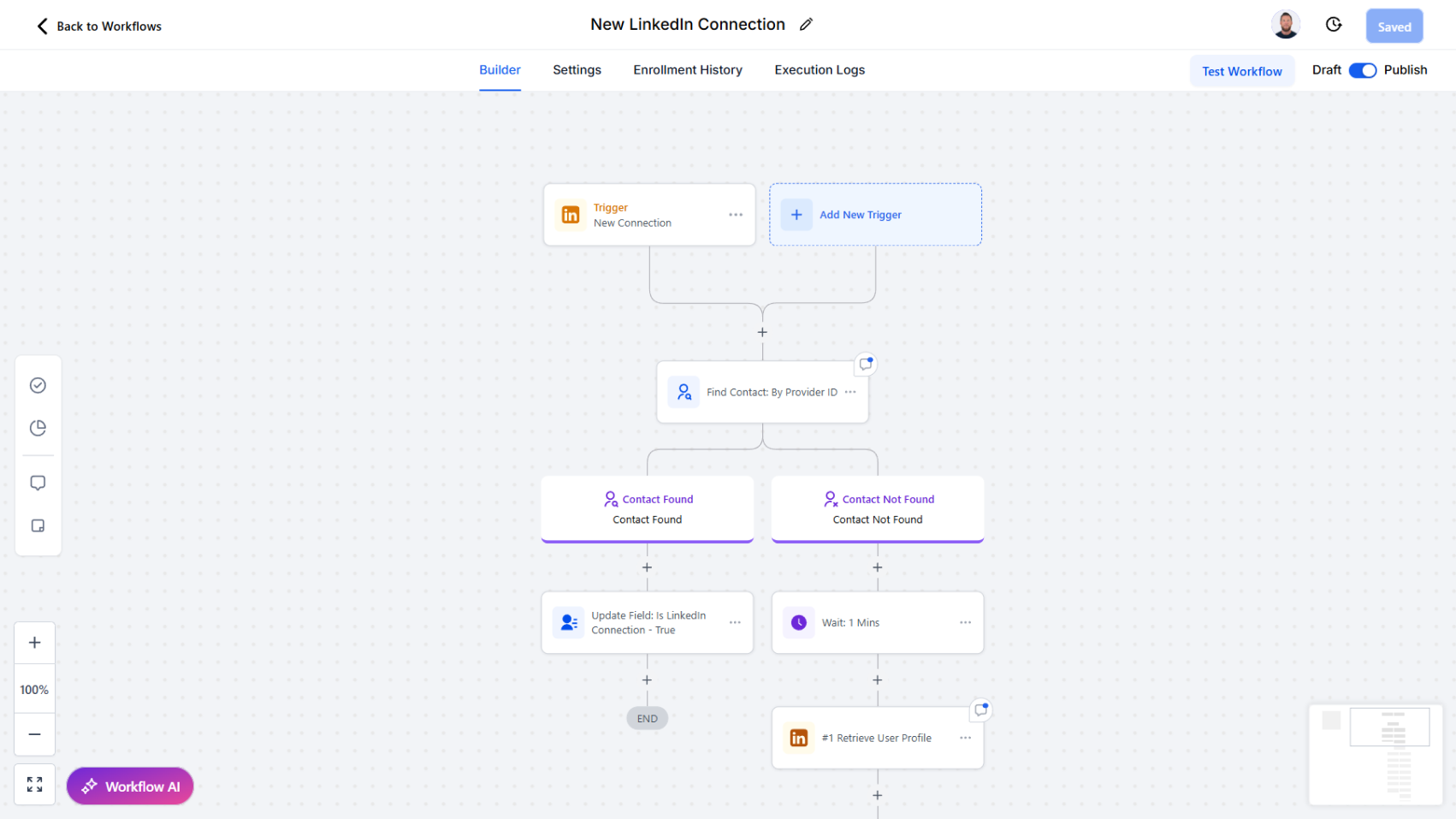
We’ve introduced a new trigger to help you act quickly on valuable new relationships. The New Connection trigger activates workflows as soon as a new LinkedIn connection is established.

How it works:

  • Whenever a new connection is added, the workflow is triggered instantly.
  • From there, you can chain follow-up actions such as:
    • Find or create a contact in the CRM
    • Tagging the new contact for organization and segmentation
    • Sending a welcome or follow-up message
    • Enriching the profile with LinkedIn data
    • Firing off subsequent workflows and actions inside your CRM

Why this matters:

  • Take immediate action on every new LinkedIn connection
  • Streamline onboarding, introductions, or outreach workflows
  • Ensure new contacts are properly tagged and organized
  • Strengthen relationship-building with timely, automated engagement

Workflow Trigger - New Message

Easily capture inbound LinkedIn messages and trigger automated workflows for faster, smarter responses.

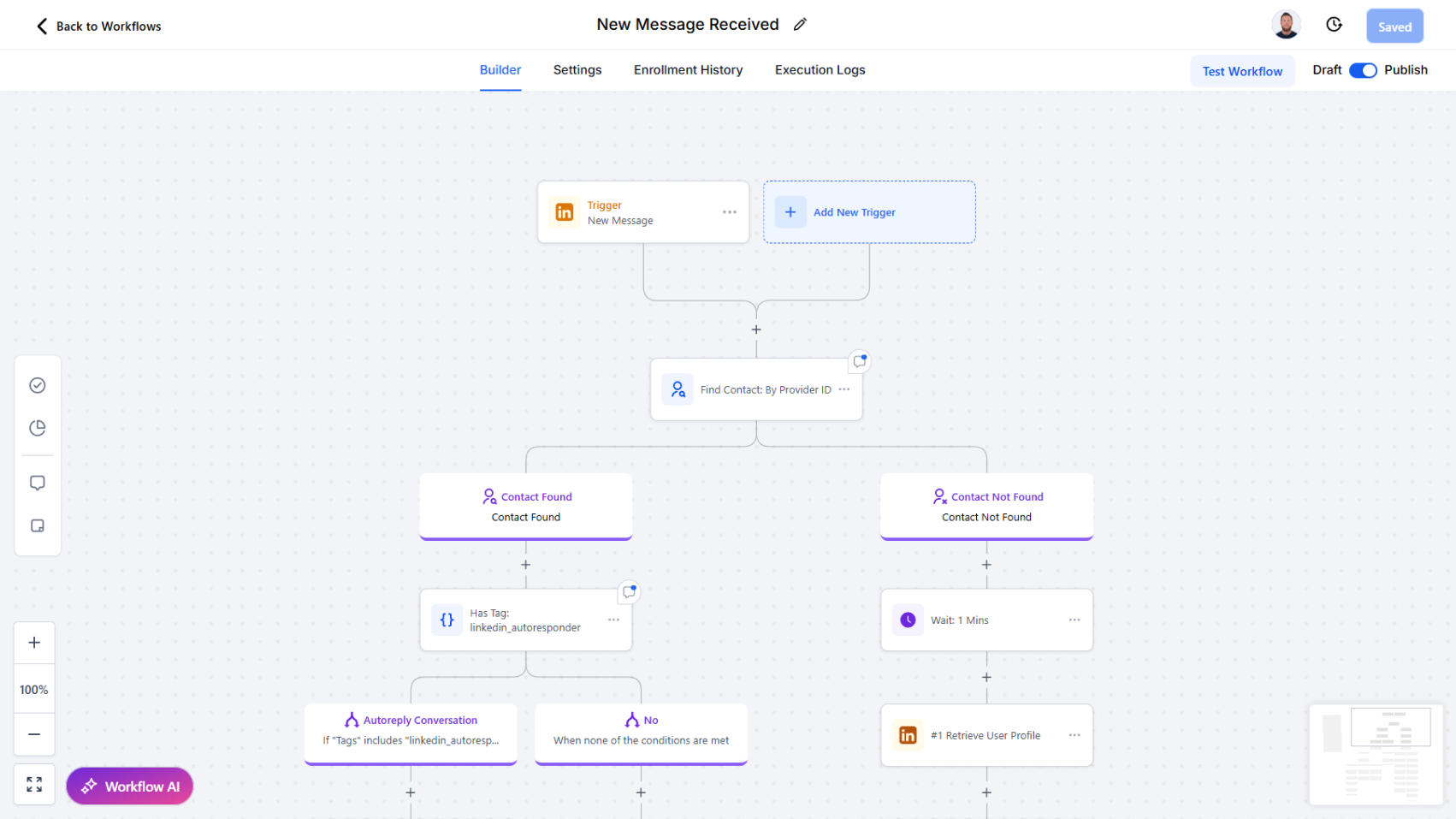
We’ve added a powerful new trigger to help you automate workflows around LinkedIn conversations. The New Message trigger allows workflows to start automatically whenever a new message is received in your LinkedIn account.

How it works:

  • When a new message arrives, the workflow is triggered instantly.
  • You can then chain follow-up actions such as:
    • Look up a contact by provider ID, Name etc.
    • Find an existing contact
    • Find or create a new contact
    • Trigger any subsequent workflow actions (e.g., send alerts, update records, or launch nurture sequences)

Why this matters:

  • Never miss an inbound message from a connection
  • Route LinkedIn conversations into your CRM in real time
  • Automate contact matching and enrichment without manual effort
  • Kick off personalized workflows (e.g., task creation, follow-up reminders, or handoff to sales teams)

Two-Way LinkedIn Messaging

Send and receive messages with attachments, auto-create leads from inbound chats, and track delivery receipts.

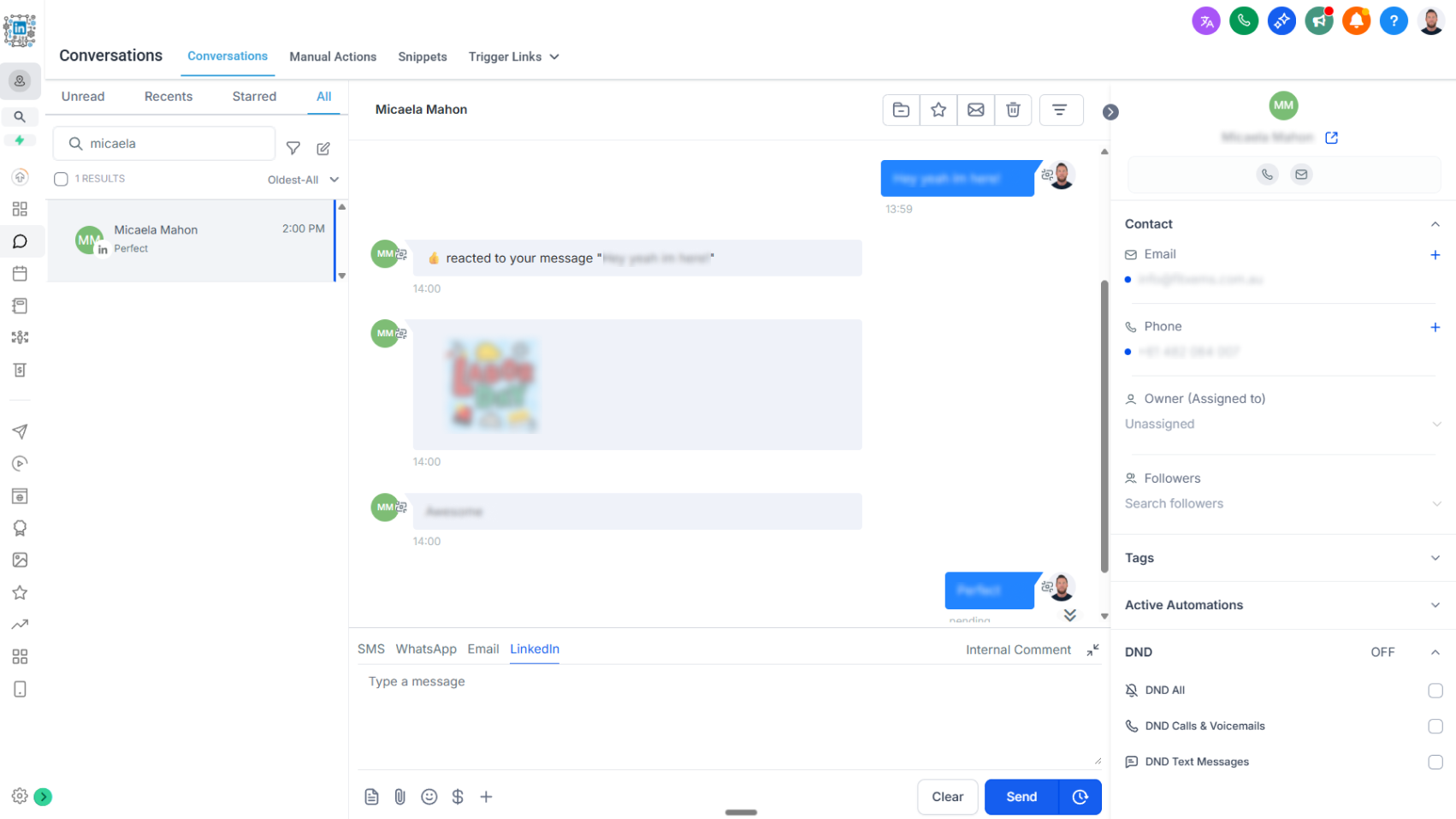
We’re excited to announce the release of two-way LinkedIn chat, bringing real-time LinkedIn messaging directly into your CRM conversations flow.

What’s New

  • Send & Receive Messages: Engage with your LinkedIn connections without leaving the CRM.
  • Rich Media Support: Share and receive attachments including PDFs, images, videos, and audio files. Attachments are stored for 3 months before expiration.
  • Lead & Contact Creation: When a new LinkedIn user messages you, their information is automatically captured to create a lead or contact record in the CRM.
  • Delivery Receipts: Track message delivery to know when your outreach has successfully landed.

How It Works

  • All LinkedIn chats now appear in the CRM conversations tab for seamless communication.
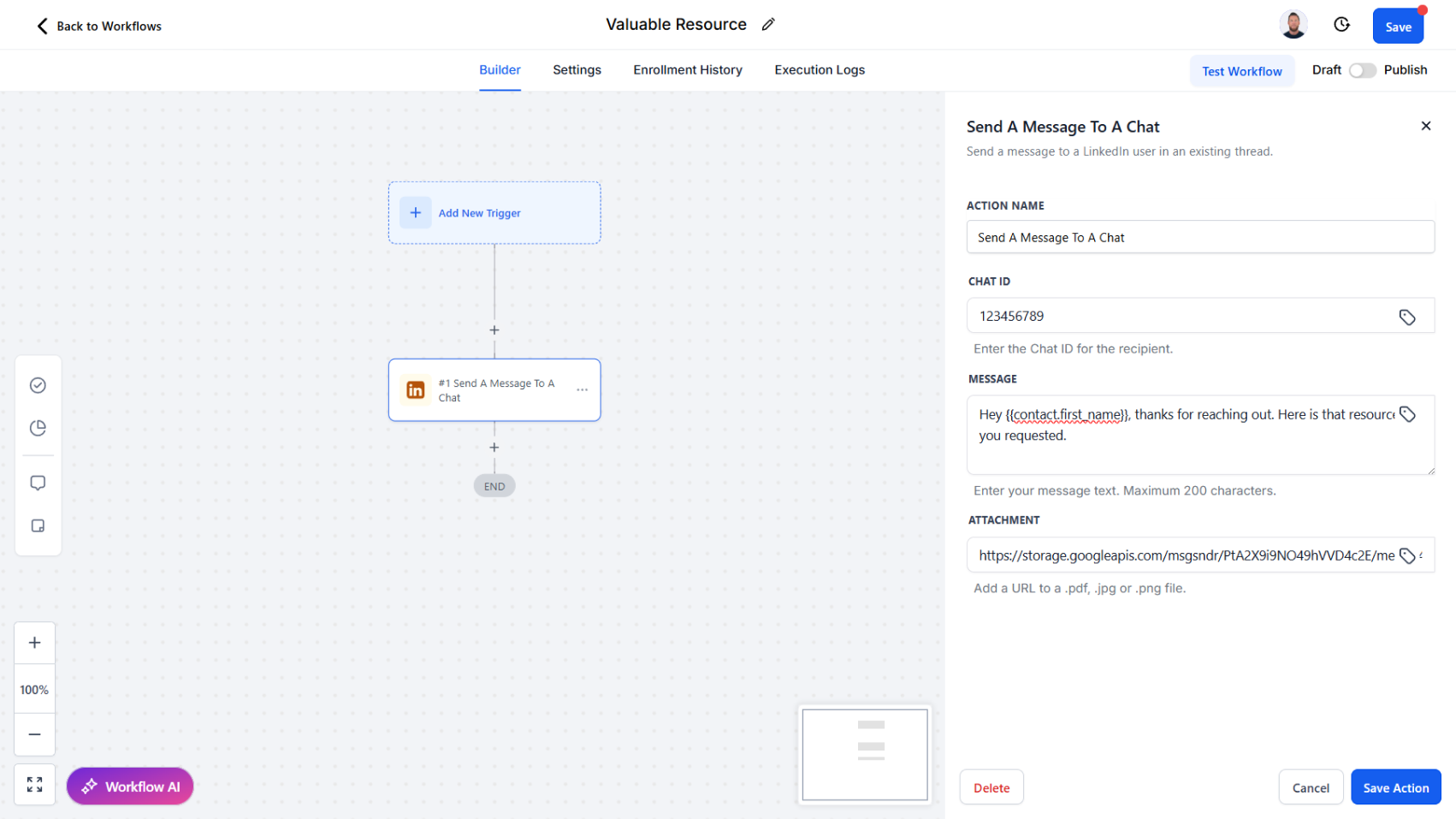
  • Messages sent through new workflow actions Start a Chat and Send a Message also sync into conversations, ensuring a complete message history.
  • Incoming LinkedIn messages can trigger workflows, enabling automated follow-ups, lead assignment, or nurturing actions.
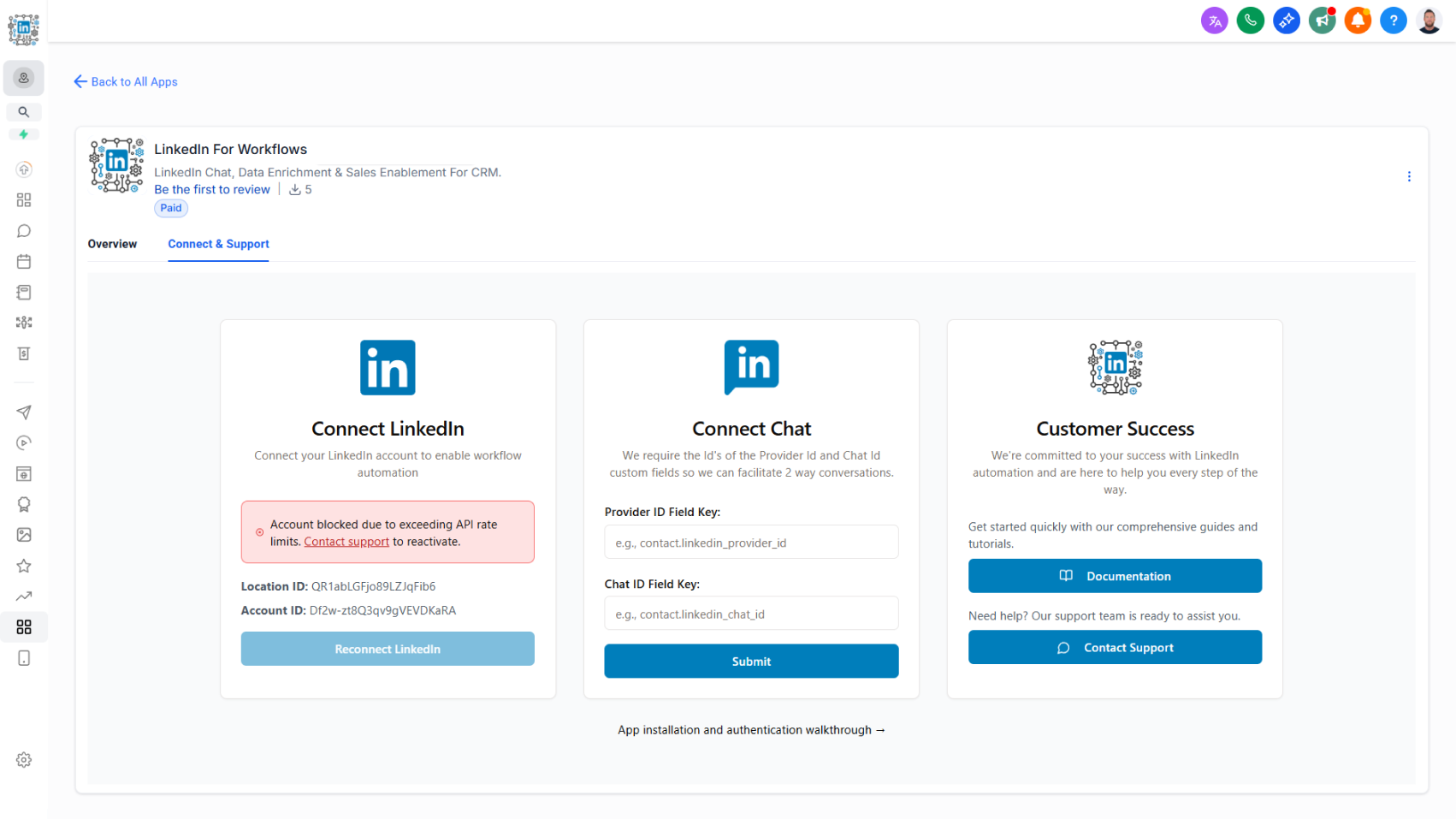
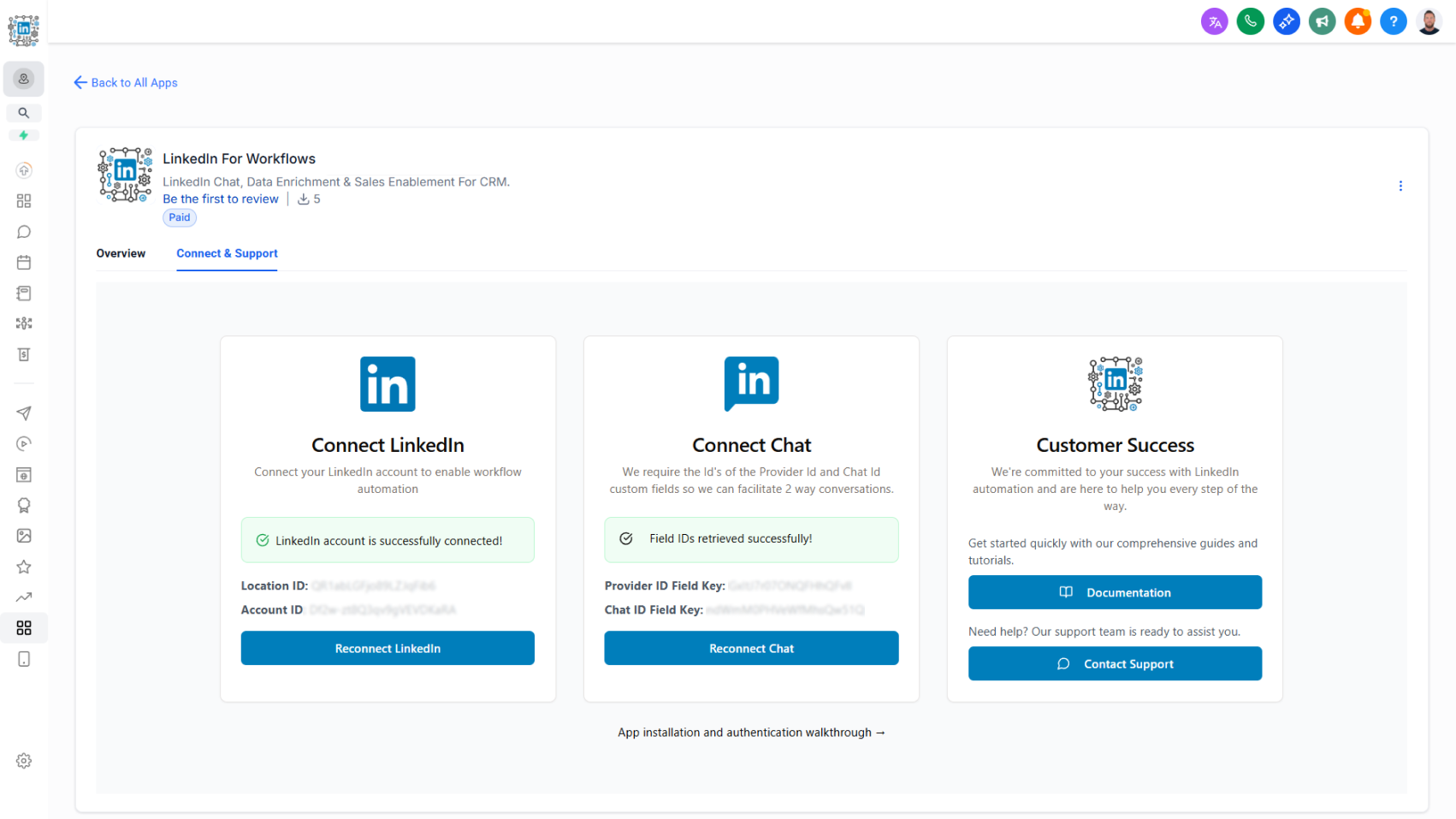
  • Authentication has been updated to accommodate additional fields required for chat functionality. View updated authentication steps here.

Why It Matters

This update bridges LinkedIn engagement with your CRM in a powerful new way:

  • Capture every opportunity: Turn inbound LinkedIn chats into new leads or contacts automatically.
  • Stay in sync: Manage conversations from one central CRM hub.
  • Work with context: Keep a full history of chats and attachments connected to each contact.
  • Stay reliable: Delivery receipts provide confidence that your outreach is reaching the intended recipient. We’re excited to introduce two-way LinkedIn chat, bringing real-time LinkedIn messaging seamlessly into your CRM conversations flow.

How it works today:

  • All LinkedIn chats now appear in the CRM conversations tab for unified communication.
  • Messages sent through workflow actions such as Start a Chat and Send a Message automatically sync into conversations, creating a complete message history.
  • Incoming LinkedIn messages can trigger workflows, enabling automated follow-ups, lead assignment, or nurturing actions.
  • Authentication has been updated to support additional fields required for chat functionality.

Key features:

  • Send & Receive Messages: Engage with your LinkedIn connections without leaving the CRM.
  • Rich Media Support: Share and receive attachments including PDFs, images, videos, and audio files (attachments stored for 3 months before expiration).
  • Lead & Contact Creation: Automatically capture new LinkedIn users as leads or contacts when they message you.
  • Delivery Receipts: Track message delivery to confirm when outreach has successfully landed.

Why this matters:

  • Capture every opportunity: Turn inbound LinkedIn chats into leads or contacts instantly.
  • Stay in sync: Manage all conversations from one central CRM hub.
  • Work with context: Keep a full history of chats and attachments tied to each contact.
  • Stay reliable: Delivery receipts provide confidence that your outreach is reaching the intended recipient.