Authentication Flow Upgrade
A new authentication process streamlines LinkedIn setup, supports bulk installs, and enables agency-managed deployments.
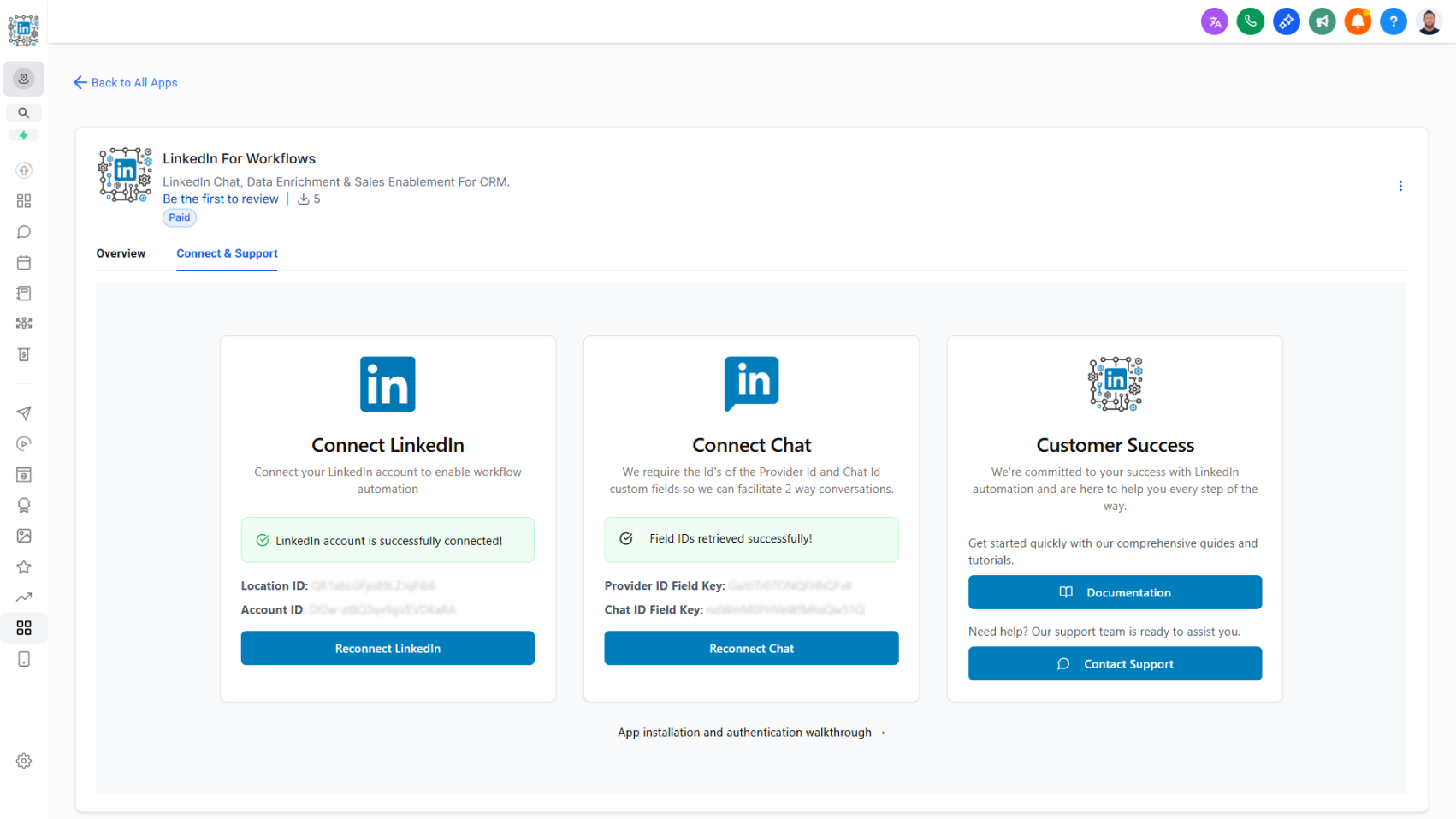
As part of the CRM platform’s migration to a new app distribution method, we’ve rebuilt the authentication flow for LinkedConnector. The new process simplifies setup, improves clarity, and supports both individual and agency installations.
How it works today:
- Access the new authentication flow from the Connect and Support tab in the app profile.
- Two new authentication cards are available:
- Connect LinkedIn: Guides you through the LinkedIn authentication process with live feedback confirming whether your account is connected and active.
- Connect Chat: Requires a Provider ID custom field key and a Chat ID custom field key to store identifiers used for two-way messaging.
- Agencies can now complete bulk installations on behalf of their clients. Clients then complete the LinkedIn authentication and maintain it independently.
Why this matters:
Supports scalable bulk installations for faster onboarding
- Enables agency-led deployments while allowing clients to manage their own authentication
- Provides live connection status for greater clarity and troubleshooting
- Ensures smooth setup for two-way LinkedIn messaging through proper field mapping