Activity Logs for Failed Actions
Failed Activity Logs now appear on the Getting Started page, showing exactly why LinkedIn actions failed with full request and response details for faster troubleshooting.
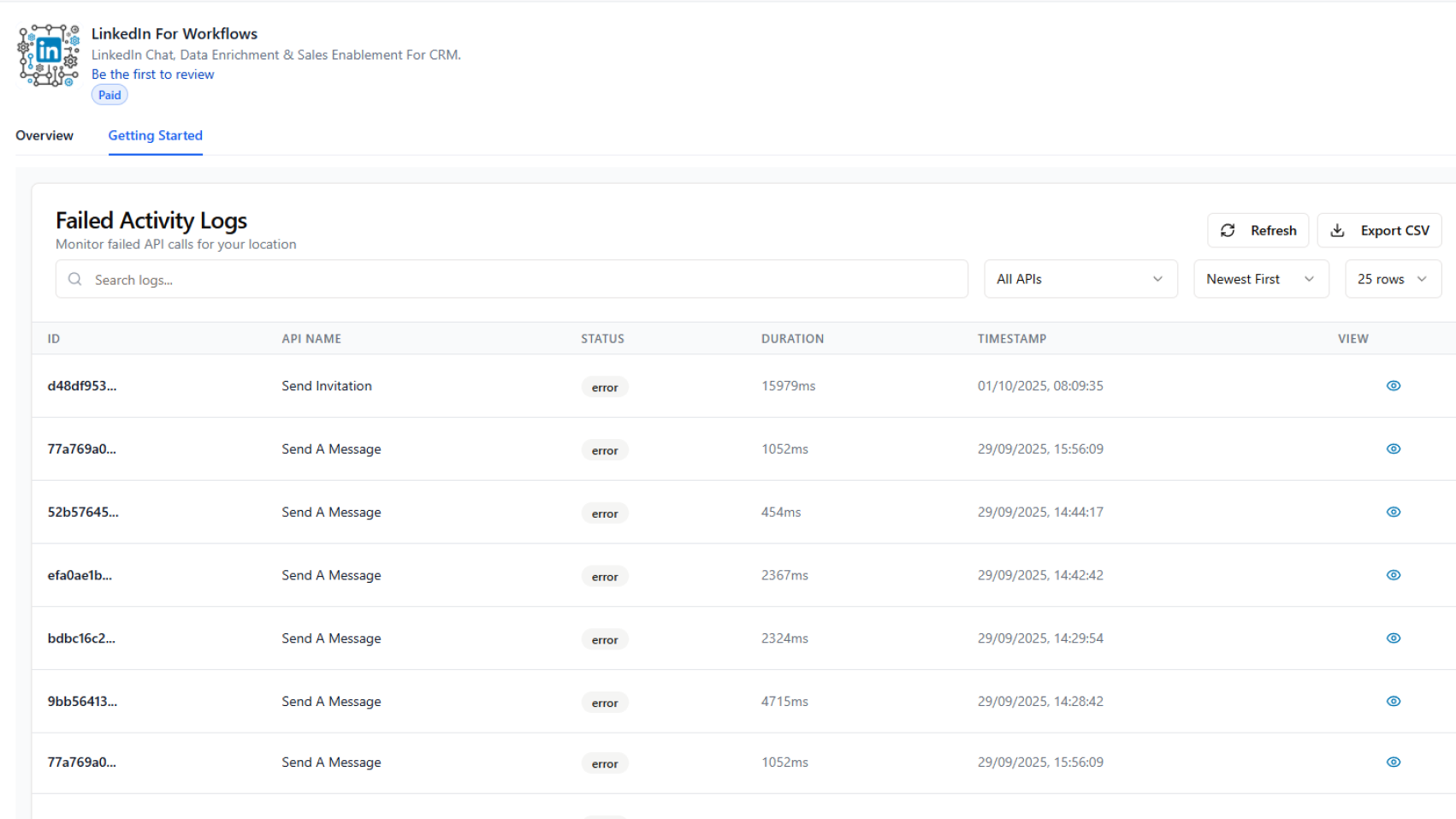
See why LinkedIn actions failed and troubleshoot faster with detailed request and response data.
What changed:
A new Failed Activity Logs section at the bottom of the Getting Started page displays all failed action API calls in one place.
What it does:
Each log entry shows:
- Action type (e.g., Send Invitation, Send a Message)
- Error status and timestamp
- Duration of the call
- Unique failure ID for reference
Click the View icon to open the full log entry and see both the request data sent and the system's response, giving you actionable context for troubleshooting.
Why it matters:
Quickly identify why an action failed without guesswork. See both sides of the conversation (what you sent vs. what the system replied). When you need support, reference the failure ID and error message for faster resolution.